How to Stop Fake Admin Scams in Crypto Communities: Replace "DM Me" with an Official Booking Link
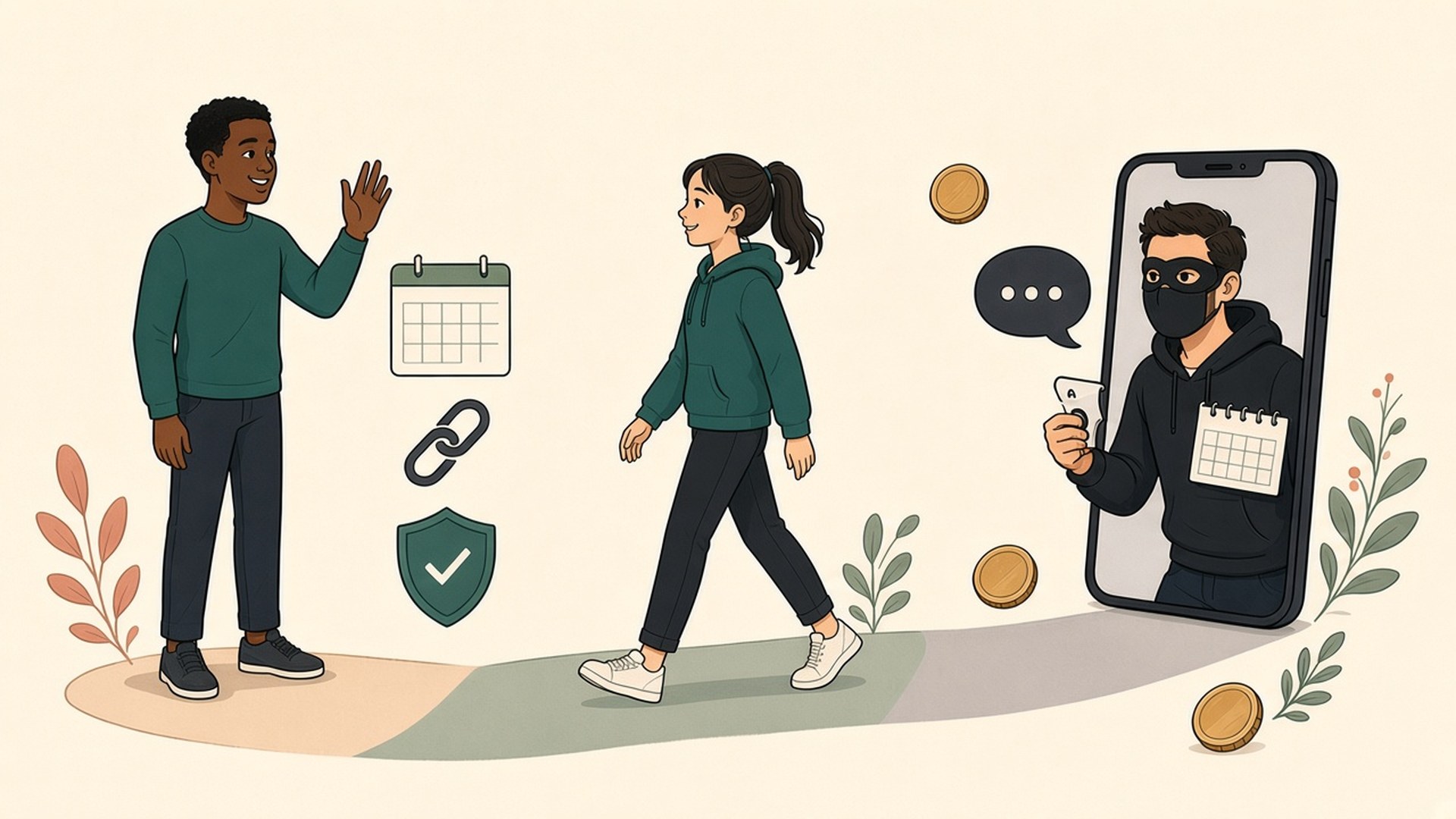
Key Takeaways
- Impersonation is one of the fastest-growing crypto scams. Chainalysis estimates that impersonation scams grew more than 1,400% year over year in 2025.
- Fake admins depend on private DMs. If your community's only route to a call with the team is "DM me," you have trained members to trust the exact channel scammers use.
- A pinned, official booking link gives members one verifiable way to reach a real person, so any other route looks suspicious by default.
- Correspond lets you share one booking link in your Discord or Telegram, collect payment through a checkout instead of a wallet address, and revoke or replace the link if it is misused. It does not replace your moderation tools.
Crypto scams reached a new scale in 2025. According to Chainalysis's 2026 Crypto Crime Report, an estimated $17 billion was stolen through crypto scams and fraud last year, and impersonation scams grew more than 1,400% year over year. The average scam payment also rose from $782 in 2024 to $2,764 in 2025.
Much of that impersonation happens where crypto communities live: Discord servers, Telegram groups, and X replies. A member asks a question in public, and within minutes a "moderator" with a copied avatar slides into their DMs with a link, a QR code, or a wallet address.
Most projects already warn members that the team will never DM first. That rule is essential, but it leaves a gap. What should a member do when they genuinely need to speak with someone? This guide explains how fake admin scams work, why "DM me" makes them worse, and how an official booking link closes the gap.
What Is a Fake Admin Scam?
A fake admin scam is a scheme in which a fraudster poses as a moderator, admin, founder, or support agent of a crypto community to trick members into handing over funds, credentials, or wallet access.
Think of it as a counterfeit help desk. The scammer does not need to hack your server. They only need to look like your team for long enough to start a private conversation.
The pattern is well documented. Security firm ChainPatrol's guide to fake moderator DMs describes how impersonators copy a moderator's display name and avatar and then message members first. OKX's Telegram scam prevention guide lists impersonating official staff and creating fake official communities as common Telegram scams.
How Fake Admin Scams Usually Work
Most attacks follow the same four steps:
1. Recon: The scammer joins your server or group and notes the names, avatars, and roles of your real team.
2. Clone: They create an account that copies a team member's display name and profile picture, sometimes with a lookalike username that differs by a single character.
3. Contact: They message members who just asked for help in public, often with urgency: "Your wallet was flagged," "Claim your allocation now," or "Book a support call here."
4. Extraction: The member is sent to a phishing site, asked for a seed phrase or 2FA code, asked to scan a QR code, or told to send crypto to "verify" a wallet or pay for a "priority" call.
Important: No legitimate admin, moderator, or support agent needs your seed phrase, private key, password, or 2FA code. Treat any request for them as a scam.
Why "DM Me" Makes the Problem Worse
Many founders, community managers, and KOLs still end their posts with "DM me if you want to chat" or "DM for consultations." It feels friendly. In practice, it does three things that help scammers.
1. It Makes DMs a Normal Way to Reach the Team
If real team members sometimes start private conversations, members cannot use "they messaged me first" as a red flag. The one simple test stops working.
2. It Hides the Real Conversation from Everyone Else
Other members can answer and check a public question. A DM cannot. Once a conversation moves private, the scammer controls what the member sees.
3. It Mixes Scheduling and Payment into Chat
When a call is arranged in DMs, the time, the meeting link, and sometimes the payment details all arrive as chat messages. A scammer can copy every one of those messages. A "send 50 USDT to this address to confirm your slot" message from a fake admin looks exactly like one from a real admin.
Scammers also know the "never DM first" rule. Crypto University's guide to verifying support agents warns that impersonators sometimes put that very rule in their own display names. A rule alone is not enough. Members also need a real, checkable alternative.
The Fix: One Official Booking Link
An official booking link is a single scheduling page that your team controls and publishes in your verified channels. Anyone who needs a call with the team, whether for support, partnerships, press, or a paid consultation, uses that link. Nobody arranges calls in DMs.
This changes the rule members have to remember. Instead of "be careful in DMs," it becomes:
"We never DM first. To speak with the team, use the booking link pinned in this channel. Any other link is fake."
Here is why that works better.
1. It Gives Members a Verifiable Route
Members can compare a link with the one pinned in your announcements channel, on your website, and in your X bio. If the link a "moderator" sends does not match, it is fake. This is the same principle ChainPatrol recommends for exchanges in its template for pinned messages: one official support link, so every other route is suspect.
2. It Moves Scheduling Out of Chat
With a booking page, the member picks a time and receives a confirmation email with the call details. Nobody has to trust a meeting link pasted into a DM.
3. It Keeps Payment Away from Wallet Addresses
If you charge for consultations, a booking page with a payment checkout means the guest pays through a known payment provider. Nobody posts a wallet address in chat, so a scammer cannot simply swap in their own.
4. It Can Be Replaced Quickly
If a scammer copies your link into a fake page or spams it, you can revoke the old link, create a new one, and update your pinned message.
Note: A booking link reduces risk; it does not eliminate it. Scammers can still build lookalike pages. Your pinned message, your website, and your verified profiles must all show the same link, and members should check it every time.
How to Set Up an Official Booking Link for Your Community
The steps below use Correspond, a scheduling app that supports Discord, Telegram, and X. You share your booking link in your channels; Correspond handles the times, confirmations, reminders, and payments.
Step 1: Create a Business Profile
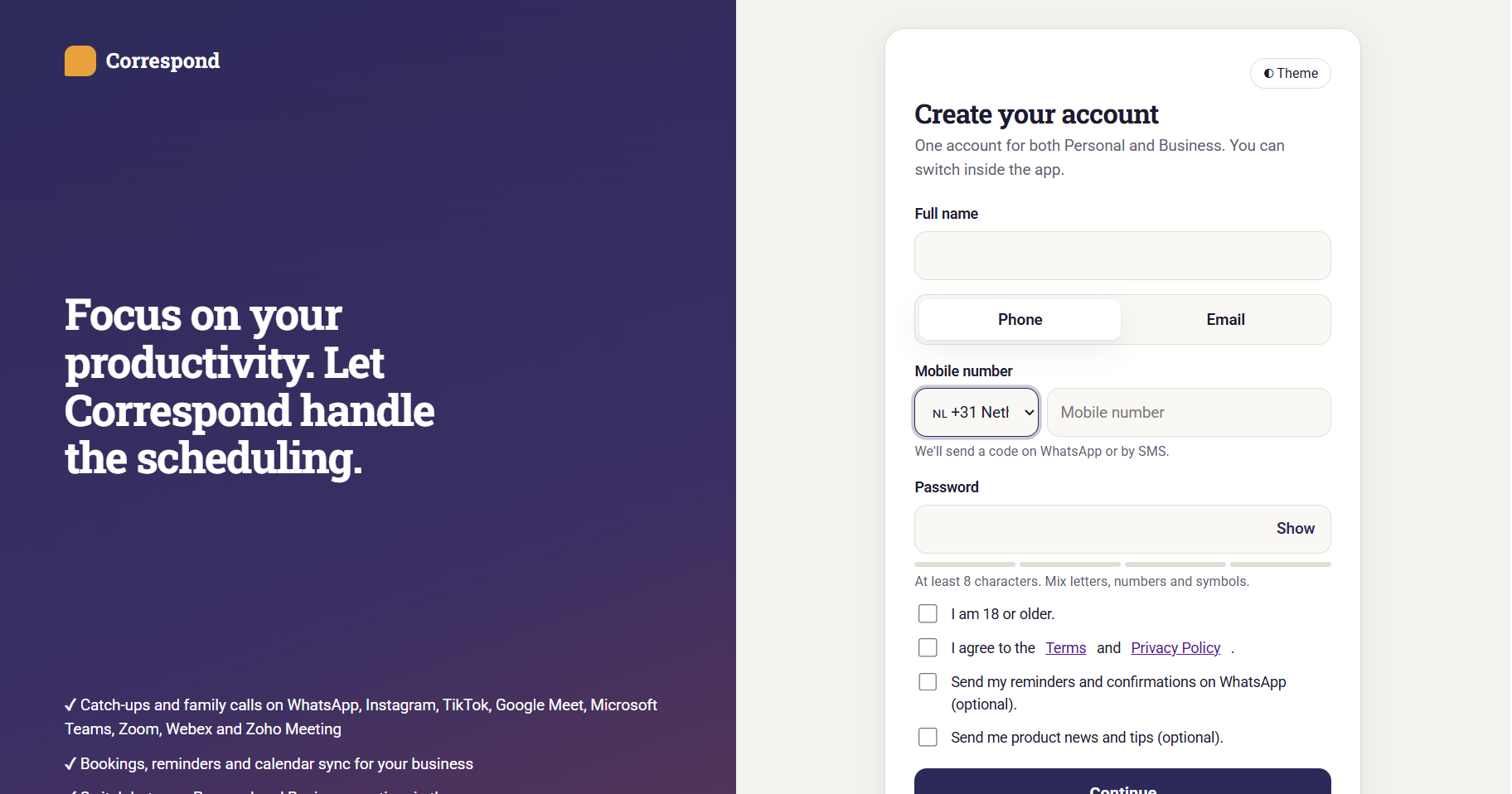
Sign up or sign in to your Correspond account with your phone number or email. One account holds both a Personal and a Business profile, and each has its own name, hours, call types, and booking link. Use the Business profile for your project or brand.
Step 2: Set Your Hours and Call Types
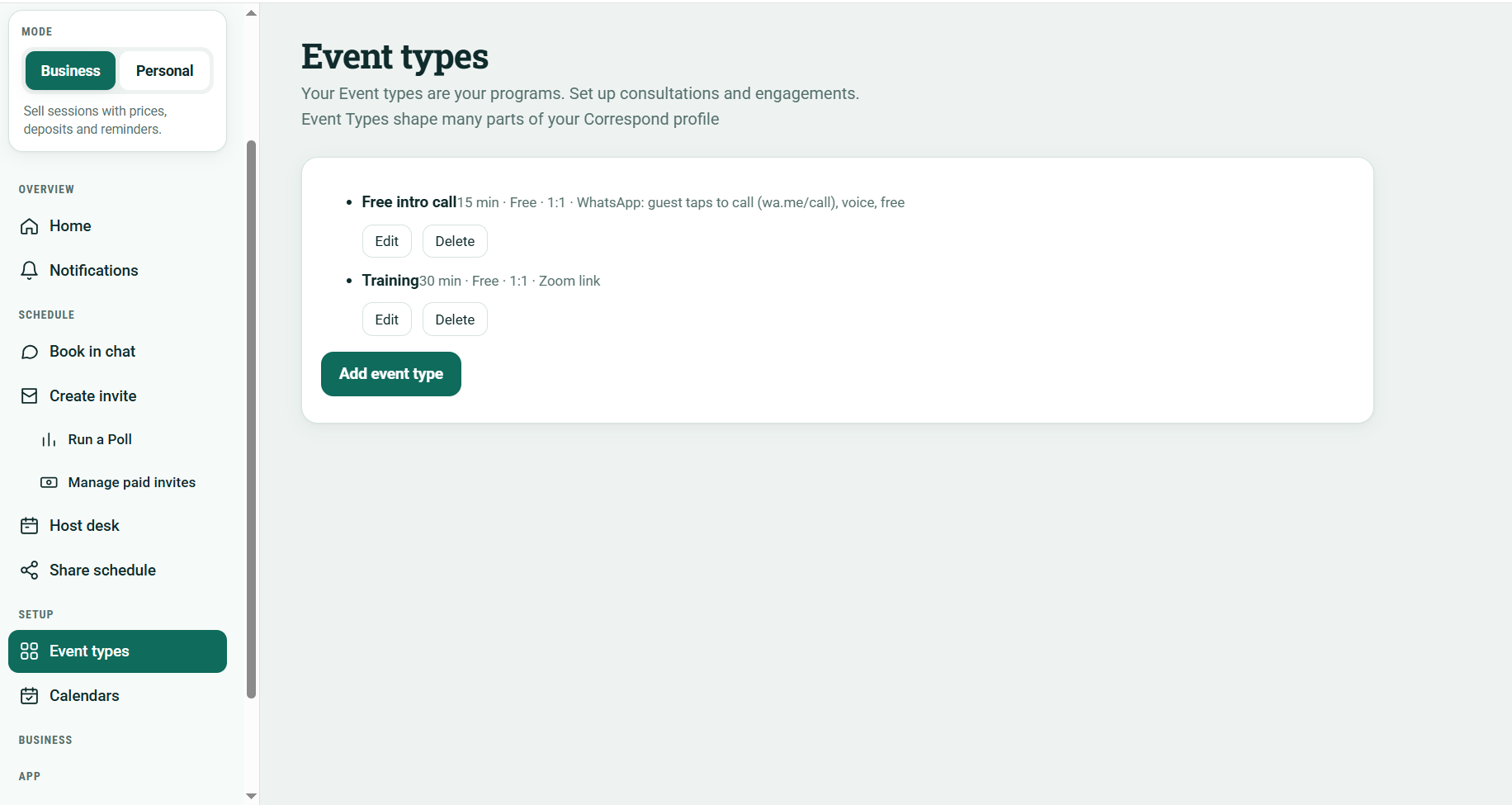
Choose when the team is available and create an Event type for each purpose, such as "Partnership intro (30 minutes)" or "Community support (15 minutes)." For Business call types, you can set a price.
Correspond's booking page shows open slots in the visitor's own time zone, which matters when your members are spread from America to Seoul.
Step 3: Choose Where Calls Happen
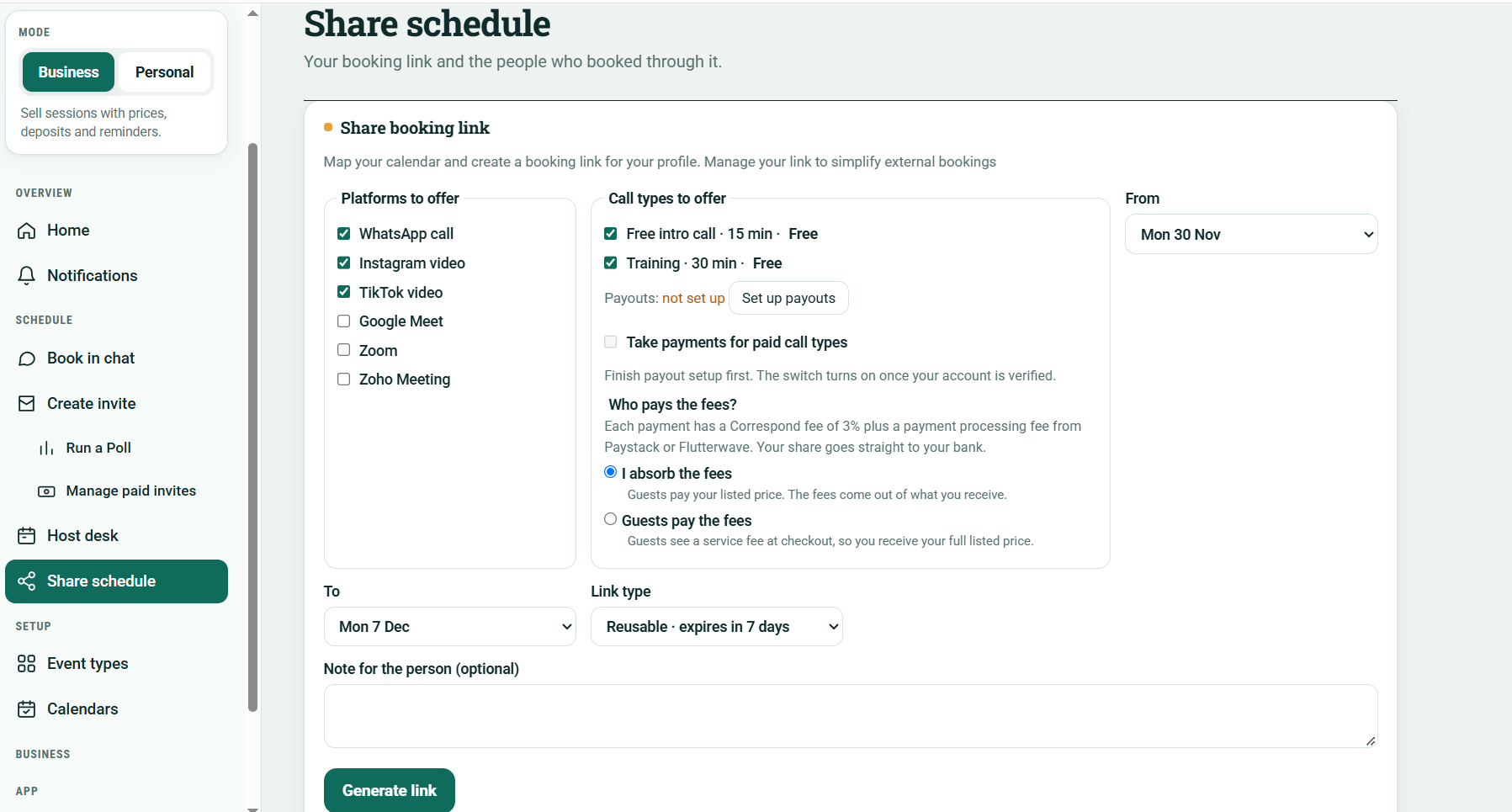
Correspond supports calls on WhatsApp, Instagram, TikTok, Google Meet, Microsoft Teams, Zoom, Webex, and Zoho Meeting. With Instant setup, which is on by default, Correspond creates a fresh meeting link when someone books and includes it in the confirmation email. Google Meet and Teams links come through your connected Google Calendar or Microsoft Outlook account.
Step 4: Connect Your Calendar
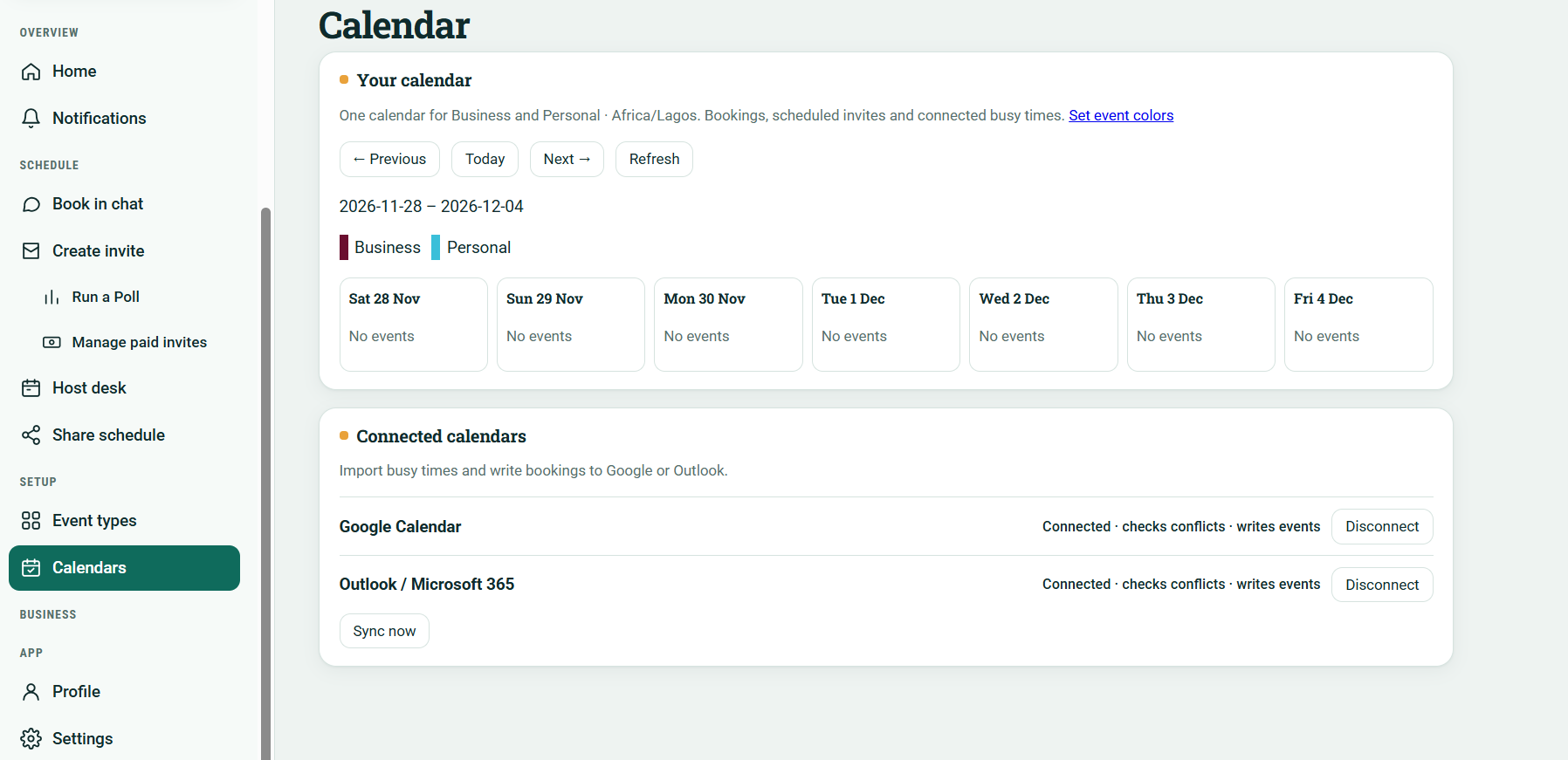
Connect Google Calendar or Outlook. Busy times block your slots, and new bookings are written back to your calendar with the call details.
Step 5: Publish the Link in Every Official Place
Pin the link in your Discord rules or support channel, in your Telegram group description and pinned message, on your website, and in your X bio. Use the same wording everywhere.
Step 6: Revoke and Replace When Needed
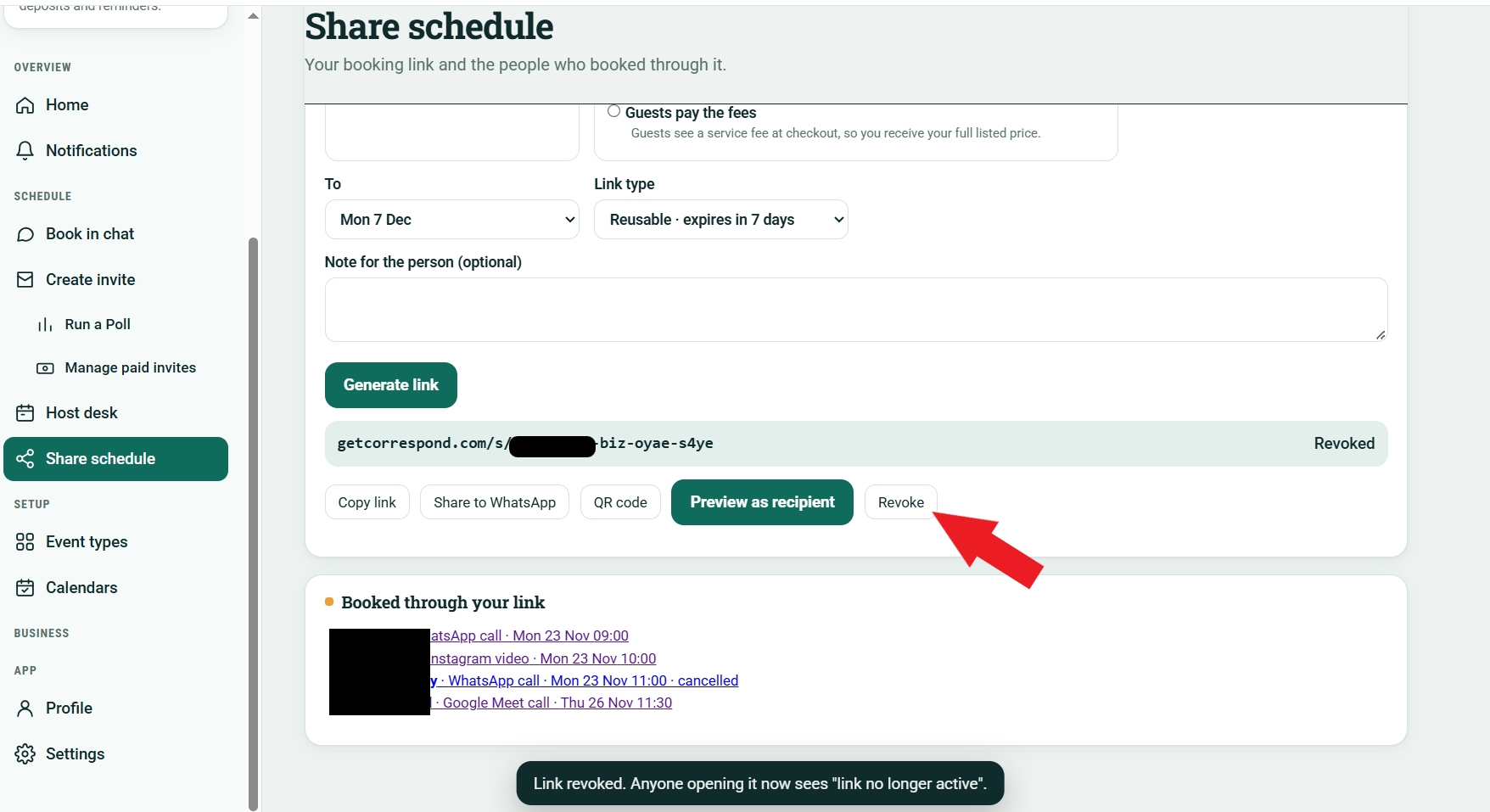
Correspond booking links can be reusable, one-time, or expiring, shared as a QR code, and revoked at any time. If your link is being abused, revoke it, create a new one, and announce the change in your official channels.
A Pinned Message Template You Can Copy
Adapt this for your Discord or Telegram:
Official contact policy
- Our admins are @name1, @name2, and @name3. Check every character of the username.
- Our team will never DM you first and will never ask for your seed phrase, private key, password, or 2FA code.
- To book a call with the team, use only this link: [your Correspond booking link]. The same link appears on our website and X profile.
- We never ask for payment by wallet address. Paid sessions are paid through the checkout on our booking page.
- If anyone sends you a different link, report them in #report-scams.
Other Defenses to Combine with Your Booking Link
A booking link works best as one layer in a wider security setup.
- Restrict DMs: Discord's scam protection guide recommends that users consider restricting who can DM them, and that server owners audit permissions and keep official invite links updated and visible.
- Publish a staff list: List admins by exact username in a read-only channel.
- Answer support questions in public: The first reply a member sees should come from a real team member in an open channel.
- Protect admin accounts: Require two-factor authentication for anyone with moderation permissions.
- Create a scam-report channel: Make it easy for members to flag impersonators quickly.
What Correspond Does Not Do
To be clear about the limits, Correspond is a scheduling and payments tool, not a moderation bot. It does not:
- Integrate with Discord or Telegram as a bot, verify roles, or ban impersonators.
- Accept crypto payments. Paid bookings are collected through Paystack, Flutterwave, or Stripe.
- Offer wallet login or token gating.
Its role is narrower and practical: it gives your community one official place to book time with the team.
Final Thoughts
Fake admin scams succeed because private chat feels personal and urgent. Every time a real team member says "DM me," the line between real and fake gets blurrier.
An official booking link draws that line again. Members get a real way to reach your team, your team gets organized calls instead of scattered DMs, and anyone who offers a different route stands out as a fraud.
Create your official booking link on Correspond and pin it in your community today.
Frequently Asked Questions
How do I know if a Discord or Telegram admin is fake?
Check the exact username, not the display name, and compare it with the staff list pinned in the official channel. Be suspicious of anyone who messages you first, creates urgency, or asks for a seed phrase, password, 2FA code, or payment.
Can a booking link stop all crypto scams?
No. It removes one common opening, the "DM me to book a call" conversation, and gives members a verifiable alternative. You still need moderation, a published staff list, and member education.
What should I do if someone impersonates my team?
Report the account on the platform, warn your community in the announcements channel, and repeat where your official booking link is pinned. If a fake booking page is circulating, revoke and replace your link and update every official channel.
Does Correspond integrate with Discord or Telegram?
Correspond does not run as a Discord or Telegram bot. You share your booking link in your server or group. Separately, Correspond's paid group invites let hosts sell access to a WhatsApp, Telegram, or Discord group.
Can people pay for calls with crypto on Correspond?
No. Correspond collects payments for paid bookings through Paystack, Flutterwave, or Stripe.
Will members see my phone number on the booking page?
No. Correspond does not show the host's phone number on the public booking page.